One client, one space: isolated multi-project delivery
How a dev studio runs 4+ clients in Mirasim with one isolated space per client, dedicated budgets, instant switching and live client sign-off.
Why multi-client studios break when projects share one workspace
Running a five-person dev studio across four active client contracts used to mean three recurring headaches: AI context bleeding between Client A's checkout repo and Client B's SaaS stack, zero visibility into which contract burned our monthly credit budget, and an hour every evening stitching screenshots into status reports.
Moving to Mirasim let us enforce one rule: one client engagement equals one physically isolated space. Here is our exact setup from kickoff to client sign-off.
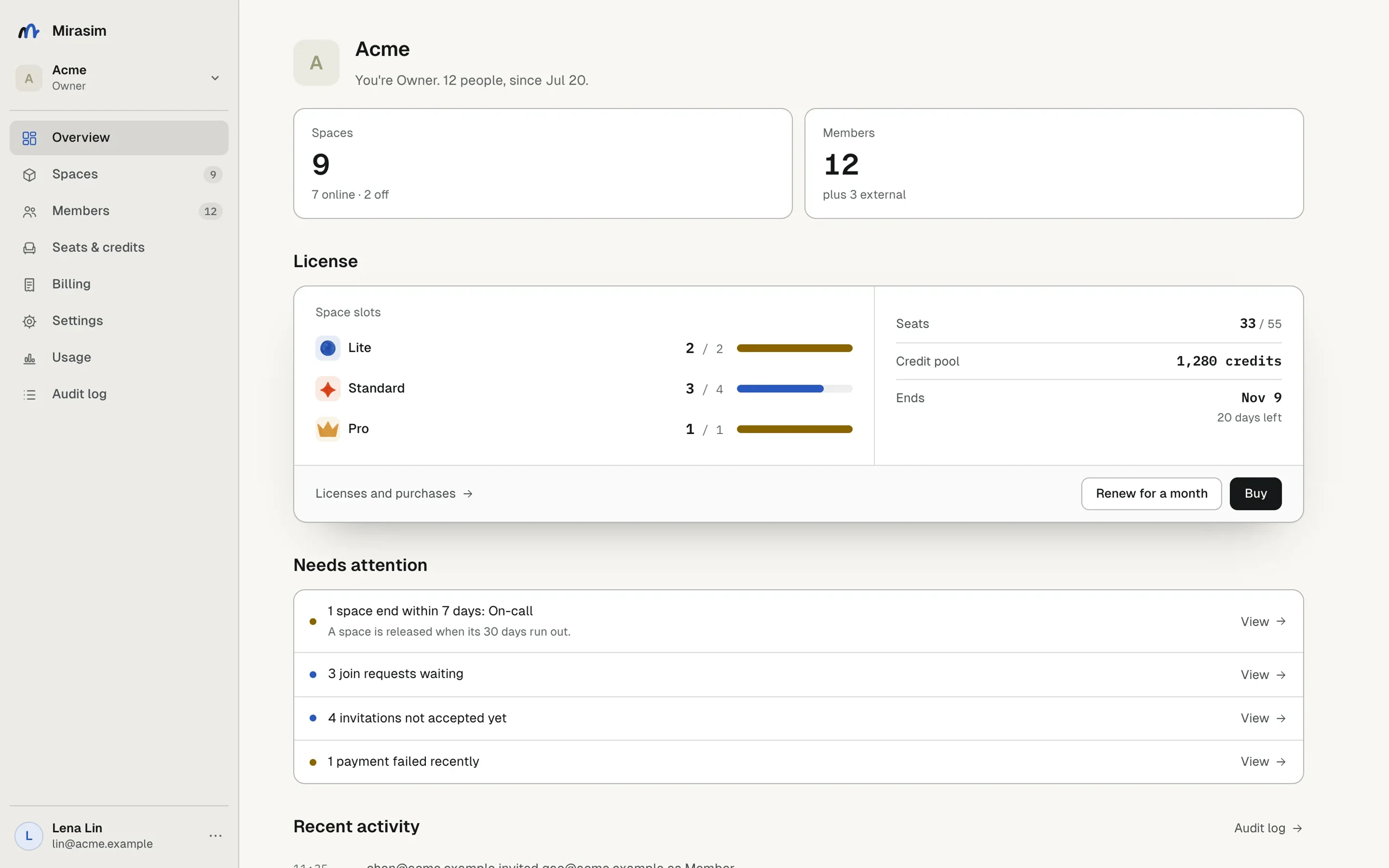
Step 1: oversee space slots, external seats & credit pools in Org Overview
Set up your studio as a Mirasim Organization. On the Overview dashboard you see every active and archived client space, internal member seats, external collaborator slots (used later when inviting client reviewers), available space slots (Lite / Standard / Pro) and your shared credit pool.
Step 2: spin up one isolated space per client with its own credit cap
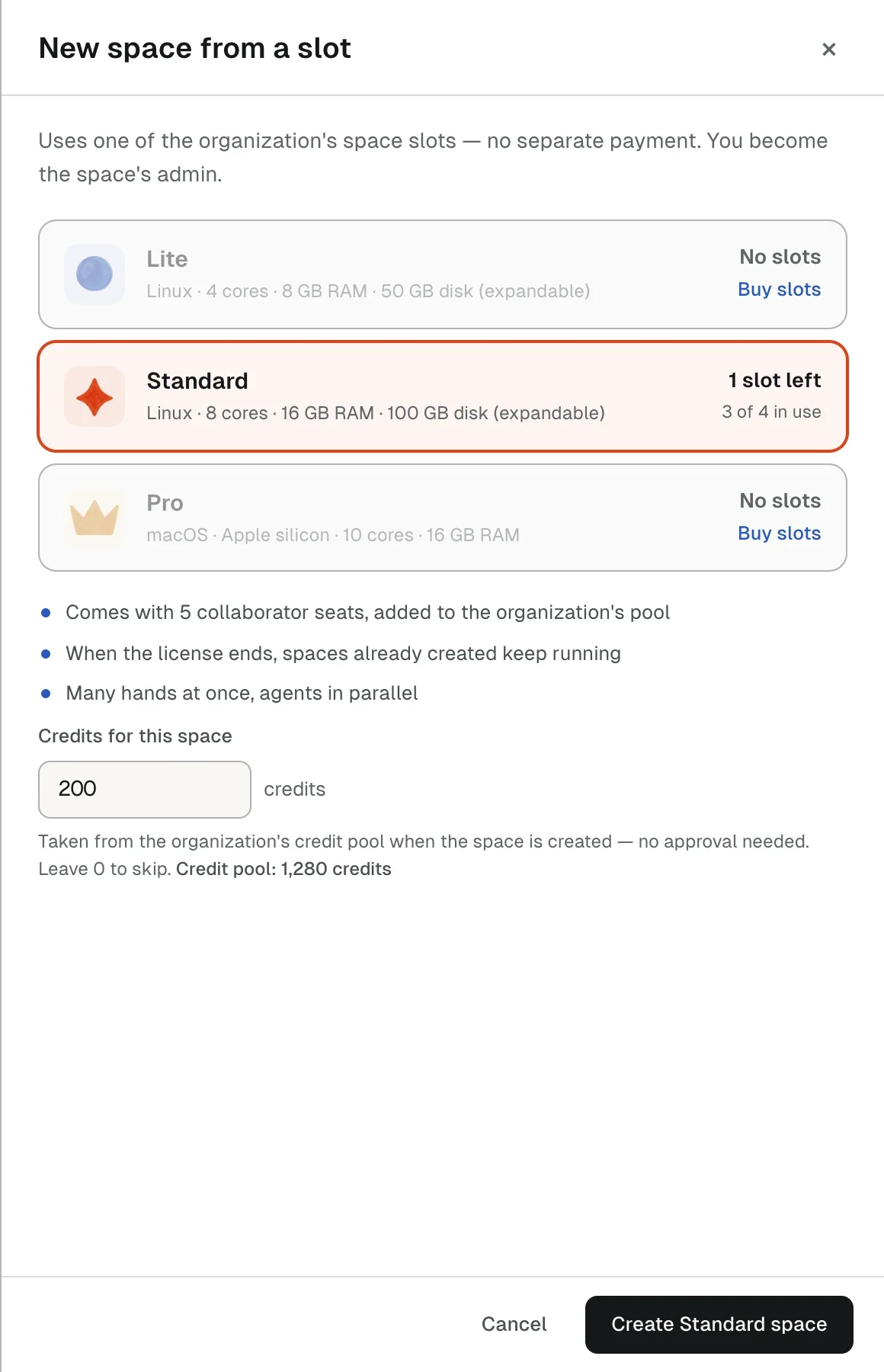
Never put four clients into four channels inside the same space—channels share files and memory. Whenever we sign a contract, we click “New space from a slot”, pick Standard (Linux · 8 vCPU · 16 GB RAM · 100 GB disk, with 5 included seats), and enter a dedicated credit allocation (for example 200 credits) straight from the org pool. Each contract's compute cost stays capped and auditable.
Step 3: switch across client spaces in one click with zero leakage
In daily delivery, click the top-left Space switcher (“All spaces”) to jump cleanly between Client-Alpha, Client-Beta and Client-Gamma, or click “+ Add space” for a new contract. Each space loads only that client's repo, assistants, channels and memory.
Within this Client-Alpha space only, finish the v1.2 checkout milestone in parallel:
1) Dev assistant implements the checkout & ledger changes on a fresh branch;
2) QA assistant completes and runs all 148 automated regression tests;
3) Post a client-ready milestone summary (key changes, test pass ledger and preview link) into #delivery-and-signoff.

--- 中文可直接复制 ---
本空间只处理 Client-Alpha v1.2 支付页改造,请按空间内已有规范并行推进:
1)研发助手完成结算页与账本接口改造,改动留在本空间仓库新分支;
2)测试助手补齐并跑通 148 项回归用例,输出清晰通过清单;
3)全部通过后整理面向甲方验收人的里程碑摘要(含改动点、测试结果与预览入口),发到 #交付验收 频道。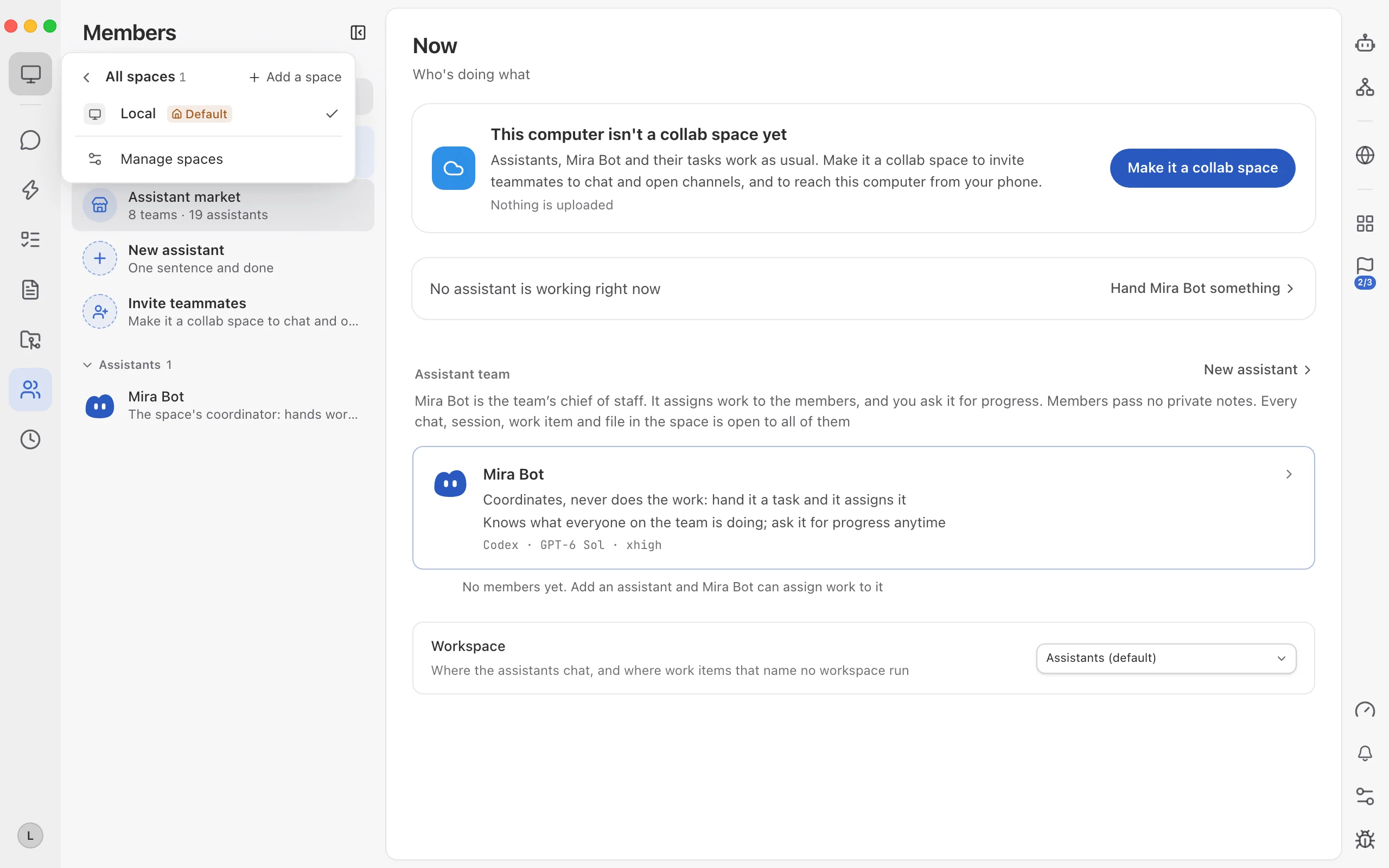
Step 4: invite the client reviewer into their own space for sign-off
When a milestone is ready, double-check the top-left space name, open Members, enable Collab Space and invite the client's reviewer into that exact space. They see only their own project—live regression results, interactive preview links and the sign-off card—leaving an auditable approval trail without manual screenshot decks.
Keep reading
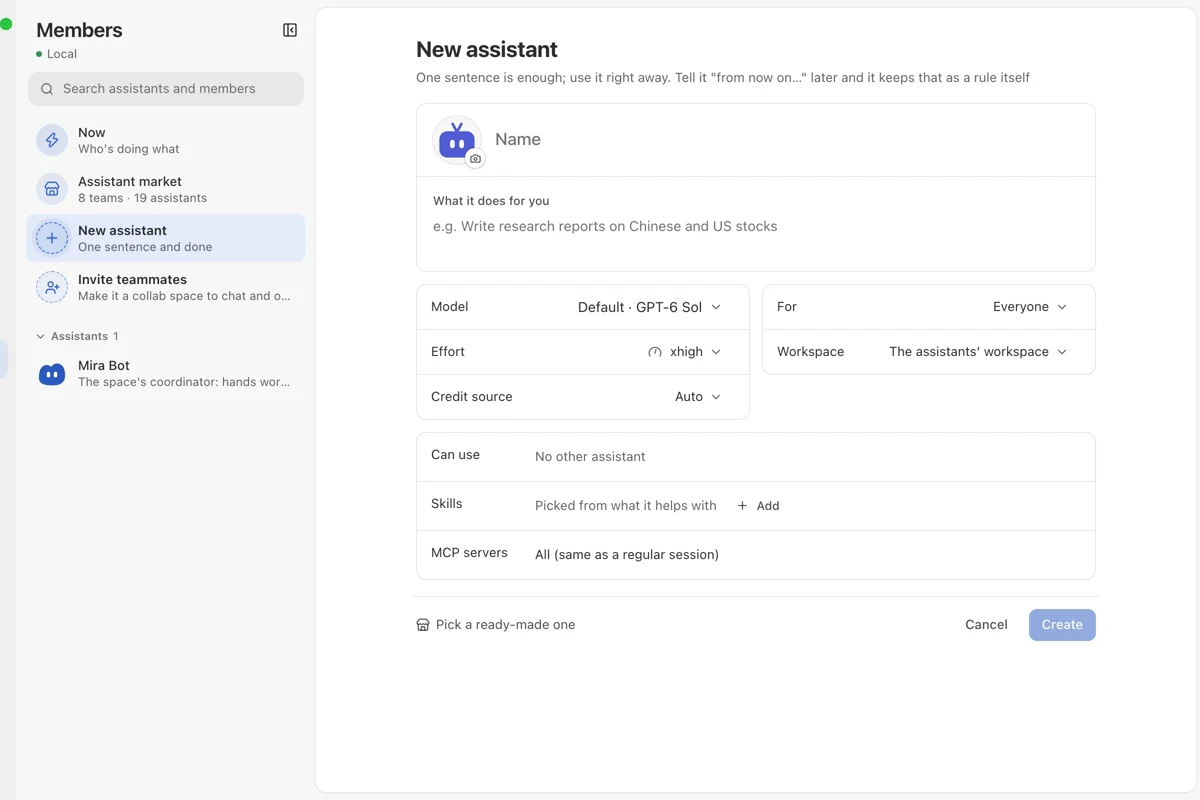
Build a custom assistant team and run it in Messages
How an indie builder creates 3 role-specific assistants in Mirasim Members—each with its own rules, model, credit source and skills—and runs them inside Messages.
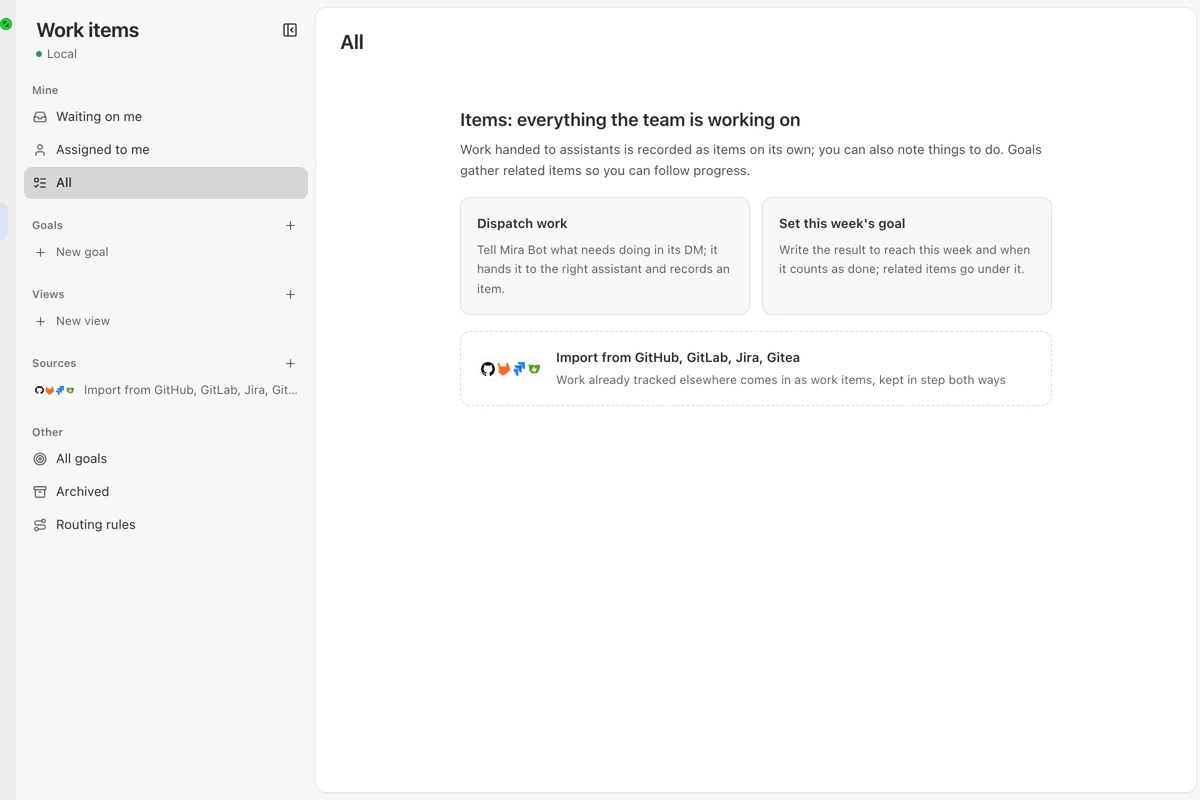
96 releases in 20 days: how a small team ships multiple times a day
How our small engineering team uses Mirasim Work Items, a shared collab space and parallel git worktrees to go from weekly drops to 96 stable releases in 20 days.
Solo studio workflow: running four parallel tracks alone
How an indie builder uses Mirasim's One-person company 4-assistant preset and mobile access to ship code, a 3D demo, a clip and an article in one evening.