Claude Code Projects: what they are, how to set one up, and what to use for a team
Claude Code Projects run a stream of related tasks as parallel cloud sessions from one conversation. How to set one up, what threads get, and the limits.
The short answer
A project in Claude Code is one long-running conversation where Claude coordinates the work for you. You paste in tasks, bug reports or a list of things to do, and Claude starts a thread for each piece. A thread is usually a cloud session that works on its own branch and can open a pull request, and the Overview pane shows which threads are ready for review, which are waiting on you and which are still working. These are not the Projects you may already have in claude.ai chat, which group conversations and files.
- Plans
- Public beta on Pro, Max and Ultra, rolling out gradually. Not offered on Team or Enterprise yet.
- Where
- claude.ai/code, the Code tab of the Claude desktop app, and the Claude mobile app. Not in the terminal CLI, the VS Code extension or the JetBrains plugin.
- Who
- One person. You can't share a project with anyone else.
- Code
- GitHub repositories on github.com, with the Claude GitHub App installed. Not GitHub Enterprise Server, GitLab or Bitbucket.
How a project is organized
- The project conversation
- Where you talk to Claude as coordinator. It answers quick questions in place, turns new work into a thread or passes it to the thread already working in that area, and splits several unrelated tasks into separate threads. It sees what threads report back, not every step.
- Threads
- The workers. Each is a separate session with its own context window. A cloud thread starts from the repository's default branch, opens a pull request when the work calls for one, and keeps watching it: it pushes fixes when CI fails and answers review comments.
- Overview
- Threads grouped by state: Ready for review, Waiting on you, Working, Landing, Idle and Resolved. The Context tab holds the files you added and the files threads produced.
- Instructions and memory
- Project instructions, up to 16,000 characters, go to every new thread. Project memory is notes Claude keeps as files under a MEMORY.md index: ask it to remember a decision or a pitfall and later cloud threads start with it.
Set one up
- Check that you have it
On Pro, Max or Ultra, look for Projects in the sidebar at claude.ai/code or in the desktop app's Code tab, directly or under More. If it isn't there, the rollout hasn't reached your account; there is a waitlist.
- Set up GitHub, if the work is code
Install the Claude GitHub App on the repositories the project will use; in a GitHub organization only an owner can approve it. A token from /web-setup is enough for your other cloud sessions but not for project threads.
- Create the project
Choose Projects, then New project. Give it a name, optionally a one-line goal under What do you want to work on?, and under Context the repositories, files, folders or Google Drive folders threads should read. Add the one or two repositories most tasks touch, not every one.
- Write the instructions
In Project settings › Memory › Project instructions, say what the project is for, which branch to start from, how a thread checks its own work, what to do when something is missing, and what needs your go-ahead.
- Send one small task first
Open the thread when it finishes and see what it did on its branch before sending a batch. You can also tell Claude to propose threads and wait for your go-ahead, or to run at most two at a time; it keeps these as preferences, not hard limits.
This project moves the web app off the old date library, in the web-app repository.

- Branch from main and open one draft pull request per thread.
- Run `npm test` before you call work done and paste the summary line.
- If a repository, secret or API you need is missing, say what is missing and stop.
- Ask me in the thread before merging or changing CI.
Already have a cloud session doing the work? Open its menu in the sidebar and choose Continue in project, then Continue as new project. Claude reads the session and proposes the project's setup.
What cloud threads pick up from your repository
| In the repository | In a cloud thread |
|---|---|
| CLAUDE.md, .claude/CLAUDE.md and .claude/rules/ at the root | Loaded when the thread starts (path-specific rules aren't) |
| Skills, agents and commands under .claude/ | Loaded |
| MCP servers in .mcp.json | Not loaded: use the connectors on your claude.ai account |
| Permission rules in .claude/settings.json | Not applied: threads run in auto mode and ask inside the thread |
| Hooks in .claude/settings.json | Not run |
| env in .claude/settings.json | Not applied: set variables in the cloud environment |
Skills and plugins you enable on your claude.ai account reach cloud threads; command-line tools go in the cloud environment's setup script. A permission prompt waits inside its own thread: telling Claude to go ahead in the project conversation doesn't reach it.
Article · Hooks in Claude Code and Codex: run your own commands when the agent acts → What hooks are and how to set them up on your own machine.
Run one thread on your own computer
For a task that needs something only your computer has, connect a folder through Remote Control. It needs Claude Code v2.1.280 or later on that computer. Such a thread uses that machine's files, tools, MCP servers, hooks and permission rules, starts with the project instructions but not its memory files, and runs only while the computer is awake.
- In the desktop app: Settings › Code (or Claude Code), turn on Use this computer from your phone and claude.ai, and add the folder under it.
- In a terminal: run
claude remote-controlin the folder and leave it running; in a Git repository,--spawn worktreegives each thread its own worktree. - Then, in the project conversation, choose Work locally from the + menu (Work in a local folder in the desktop app), describe the task, and allow it on the card.
Article · Claude Code Remote Control, and other ways to use Claude Code from your phone → Claude Code Remote Control: drive a session on your computer from a phone or browser.
Limits worth knowing
- A project belongs to one user and can't be shared. There are no organization-level controls during the beta.
- Threads use Anthropic as the model provider, in the cloud or on your computer; projects aren't available through Amazon Bedrock, Google Cloud or Microsoft Foundry.
- New projects run Opus everywhere: medium effort for threads, low for the coordinator. Change it in Project settings › General, or ask for a smaller model in one task.
- A project uses your plan faster than one session: every running thread is a full session, the coordinator reads their reports, and a thread watching a pull request wakes up when CI fails or a comment arrives. The hard cap is 500 new threads a day across your projects.
- A cloud thread's sandbox pauses between turns. If it can't be resumed, the thread continues from a fresh clone and uncommitted changes can be lost, so on long tasks ask Claude to commit and push as it goes.
- A thread belongs to the project that started it: you can't move it to another project or merge two projects.
Projects, subagents, agent teams and Claude Tag
| What it is | Lasts | |
|---|---|---|
| Subagent | A helper inside one session that does a side task and returns a summary | One side task |
| Agent team | One session that starts teammate sessions for a single task | That task |
| Project | A coordinating conversation that starts and tracks whole sessions for a stream of work | As long as the work keeps coming |
| Claude Tag | Claude in a team's Slack channels, on Team and Enterprise; anyone in the channel can give it work | Ongoing |
Article · Subagents in Claude Code and Codex: what they are and how to make your own → Subagents in Claude Code and Codex, and how to define your own.
Article · Claude Code agent teams, and teams that mix agents and people → Claude Code agent teams: several sessions working on one task.
When the work belongs to a team
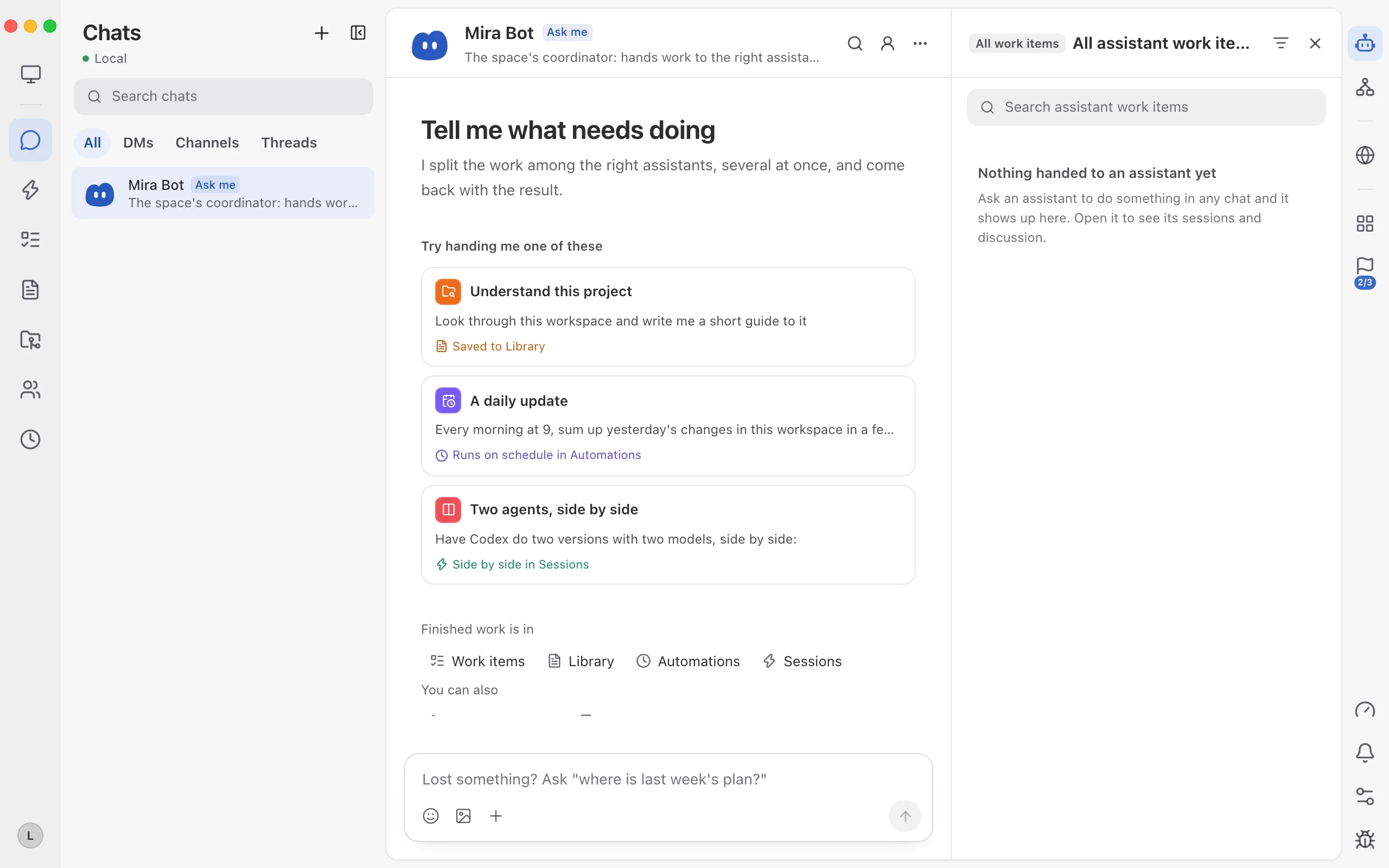
A project is yours alone and isn't on Team or Enterprise yet. When several people feed the same stream of work and want to watch it run, Mirasim does the coordinating inside a space you share. Projects lives in Anthropic's own apps, not in the CLI, so you won't find it in Mirasim's Claude Code sessions; the two can sit side by side.
| Claude Code Projects | Mirasim | |
|---|---|---|
| Who gives it work | You | Anyone in the space's channels can @ Mira Bot or an assistant; observers can watch but not @ |
| Who coordinates | Claude in the project conversation | Mira Bot hands each request to the assistant whose job fits; a bigger goal goes to the Goal room, where an orchestrator splits it into tasks |
| Agents | Claude Code on Anthropic models | Each assistant runs on an agent such as Claude Code, Codex or Pi, on the model you pick |
| Where it runs | Cloud sessions, or your computer through Remote Control | Sessions on your computer or a team space; a team space keeps running when you close your laptop |
| Seeing the work | Open threads from Overview | Every job is a real session that people in the space can open, listed under Assistant work items |
In the Goal room, the orchestrator first turns the conversation into an outcome, acceptance criteria and boundaries, and work starts only after you confirm. It comes back to you only for decisions that change scope, safety, permissions or something that can't be undone, and each finished task carries its artifact and how it was checked.
Chapter 3 · Mira Bot and assistants › In a team space → Mira Bot and assistants in a team space.
Chapter 19 · Schedules and goals › Goals → Goals and the Goal room.
Questions
- Why don't I see Projects?
- It is rolling out gradually, starting with accounts that have used cloud sessions and don't have projects in claude.ai chat or Cowork. Check under More in the sidebar; if it isn't there, join the waitlist. It isn't on Team or Enterprise plans yet.
- Are these my claude.ai Projects?
- No. The earlier Projects group conversations and reference files, without threads or a coordinator. Those keep working as they are until the redesigned experience reaches them.
- Can I use Projects from the terminal?
- Not directly: projects are at claude.ai/code, in the desktop app and in the mobile app. A terminal comes in only as a place for one thread to run, through
claude remote-control. - Does an idle project use my plan?
- No. A project with no running threads, no watched pull requests and no new messages doesn't use your plan, and neither does an archived one. To stop an idle thread waking on its pull request, ask it to stop watching.
Sources
Checked on November 26, 2026 against Anthropic's Claude Code documentation (code.claude.com/docs, Let Claude coordinate ongoing work with Projects). Projects is in public beta and changing, so check that page for current plans and limits.
Keep reading
Is Claude Code free? What it costs, and how to run it for free or for less
Claude Code is free to install, but running it on Claude needs a paid plan or an API key. The free and cheap options: local models with Ollama, or other providers.
Claude Code login: how to sign in, switch accounts, and fix login problems
How to log in to Claude Code with a Claude plan, the Console or an API key, which credential wins, how to keep several accounts, and fixes for common login errors.
Claude Code pricing: what each plan costs, what the API costs, and paying only for what you use
Claude Code comes with Claude Pro, Max, Ultra, Team and Enterprise, or runs on an API key per token. What each costs, what developers spend, and how to spend less.